⚡ Every music link opens in your favorite player • Android & iOS

Tap shared music links.
Play immediately in YOUR player.

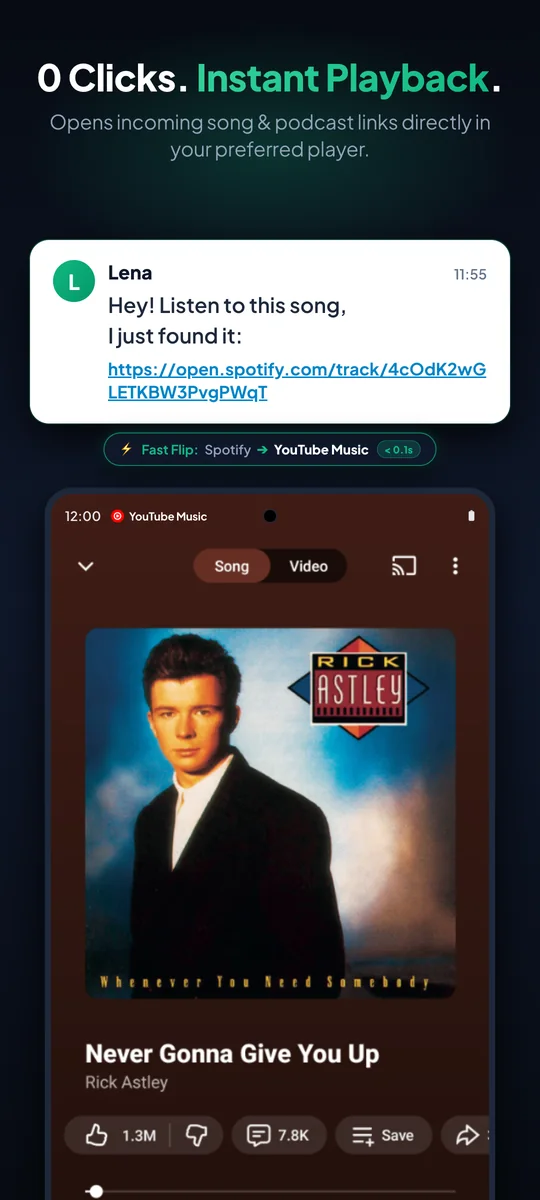
No login prompts, no browser tabs, no wrong apps. Click a music link in WhatsApp or Telegram and it opens instantly in your chosen music service without intermediate steps.

How it works →
✓ Free forever ✓ No account needed ✓ 22 Languages ✓ Multi-API Smart Engine ✓ 0 Clicks on Android (1 Click iOS) ✓ 100% Ad-free & Open Source
Setup in 30 Seconds

Set it once – enjoy music forever

Configure SongFlip in 30 seconds. Afterwards, you never need to open the app again – it works silently in the background.

1

Install & Enable Links

Download SongFlip and enable link handling — via system settings on Android or the Share Sheet on iOS.

⚙️Android: Open by default • iOS: Share Sheet
2

Choose Preferred Player

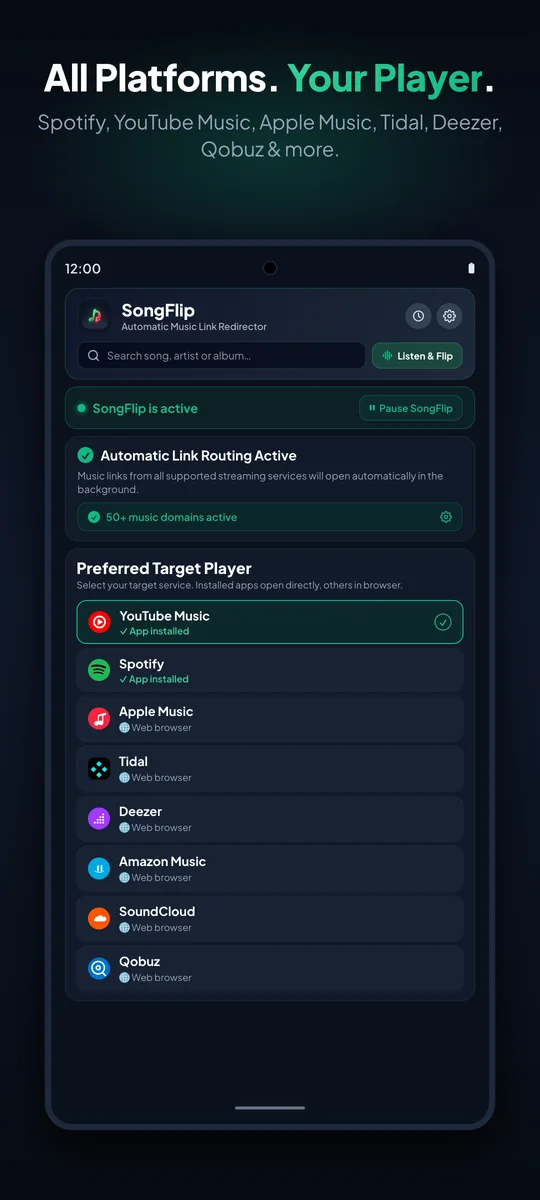
Select where you love listening to music – such as YouTube Music, Spotify, Tidal, or Apple Music.

🎯 Target: YouTube Music / Spotify
3

Sit Back & Listen

Done! From now on, any music link you tap in chats or browsers starts directly in your favorite player.

🎧0 Clicks (Android) • 1 Click (iOS)
Online Tool

Live Engine Tester & Smart-Link Generator

Test the SongFlip resolution engine live in your browser or generate free universal smart links for instant music sharing.

Live Engine Tester & Smart Link Generator
Engine Online
Try sample songs:
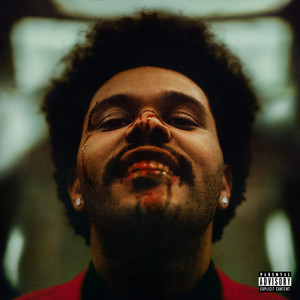
Cover Art
🟢 Spotify Link
Blinding Lights
The Weeknd • After Hours (2020)
Select Target Player:
Universal Streaming Freedom

Works with all major streaming services

No matter what platform your friends use and what player you love: SongFlip seamlessly bridges the gap.

🟢
Spotify
Songs, Albums & Artists
🔴
YouTube Music
Songs, Albums & Artists
🍎
Apple Music
Songs, Albums & Artists
🌊
Tidal
Hi-Res Audio
🟣
Deezer
Songs, Albums & Artists
🔵
Amazon Music
Songs, Albums & Artists
💿 Full Album & Artist Support: SongFlip redirects individual tracks, complete album releases, and shared artist profiles reliably to your target app.
Real Value Every Day

Why you will love SongFlip

Zero friction, zero ads, zero data tracking. Just music that plays when you tap it.

0 Clicks & Direct Playback

Tap a shared link and music plays instantly in your favorite player — 0 clicks on Android via system intent filters, and 1 click on iOS via the Share Sheet.

Direct Deep Linking
🎯

Multi-Stage Smart Engine

Combines local in-memory app cache (< 5ms), Odesli metadata, direct YouTube Video ID matching, and official streaming search APIs for accurate 0-click routing.

Multi-API Resolution
⏸️

Smart Pause in Quick Settings

Want to open a link in its original app? Pause SongFlip easily from quick settings (Android tile) or inside the app for 15 min, 1 hour, or until morning.

Quick Settings Tile
💿

Tracks, Albums & Share-Sheet

Redirects individual tracks, full albums, and artist profiles. Also supports direct sharing via system Share Sheet on Android & iOS.

Full Catalog & Share Intent
🔒

100% Private & Open Source

No registration, no user account, no cookies, and zero listening telemetry. Auditable GPLv3 open source code running locally on your device.

GPLv3 • Privacy First
🌍

Native in 22 Languages

SongFlip automatically detects and adapts to your device system language across mobile apps and the entire web portal.

Global Multi-Language
Transparency & Outlook

Free forever. More features in planning.

All core redirection features are and will remain 100% free and ad-free. For power users, we are developing powerful enhancements.

Free

SongFlip

$0 / free forever
  • Full 0-click redirection across all 6 services
  • Support for songs, albums & artists
  • Custom source filters (toggle services on/off)
  • Quick Settings status tile with smart pause
  • Native in 22 languages
  • 100% ad-free & no registration required

SongFlip PRO

From $0.99 / month or $19.99 lifetime
  • Universal Smart Share Links: Generate clean songflip.link/s/... landing pages with rich cover art & 1-tap playback
  • High-Speed LV2 Server Cache: Zero-latency instant matching across the global SongFlip cloud network
  • Enhanced AI Matching (Gemini): Matches rare remixes, acoustic sessions & live versions
  • 1:1 Playlist Sync & History: Full cross-platform playlist transfer and conversion log
⏳ In Development • $0.99/mo, $7.99/yr, or $19.99 Lifetime
Security & Trust

Why you can trust SongFlip unconditionally

Maximum privacy and uncompromising security. Running 100% locally on your device.

🛡️

100% Data Privacy & Protection

  • No user account or login required
  • No advertising IDs or analytics trackers
  • No collection of listening habits or user profiles
  • Anonymized song metadata for maximum speed
Zero Telemetry
🛡️

Zero Sensitive Permissions

SongFlip requires no access to your contacts, photos, storage, microphone, camera, or location. It operates solely by intercepting supported music URLs.

Minimal Permissions
🇩🇪

Open Source & German Privacy

Fully auditable GPLv3 open source code on GitHub. Built by independent developer Daniel Notthoff under strict European GDPR privacy regulations.

GPLv3 • GDPR Compliant
Frequently Asked Questions

Everything you need to know

Clear answers to the most common questions about setup, privacy, and how it works.

No! SongFlip works completely without registration, login, or accounts. After installation, simply select your target music player and you're ready to go.

Yes, 100%. All core features for automatically redirecting songs, albums, and artists are completely free, ad-free, and require no user account. There is no forced subscription. For power users, we are developing an optional PRO version with advanced features (like AI matching for rare remixes or 1:1 playlist sync), available flexibly from $0.99/mo or as a one-time lifetime purchase.

No, not at all! Universal web links (songflip.link/s/...) open in any modern browser on iPhone, Android, Mac, or Windows. Recipients instantly see album art, track details, and 1-click buttons for Spotify, Apple Music, YouTube Music, Deezer, Tidal, and Amazon Music – with zero app install, login, or ads.

As a SongFlip PRO user, directly from your music app: tap Share ➔ SongFlip on any song in Spotify, Apple Music, or YouTube Music. SongFlip instantly generates the universal smart link and copies it to your clipboard. You can also share any song from your in-app history with a single tap.

Yes, 100%. The matching engine natively handles all international character sets (German umlauts like Ä/Ö/Ü, accents, Kanji, Cyrillic, etc.) and reliably delivers the exact corresponding streaming links across all services.

For PRO users, songs are cached in a global, ultra-fast server network. Tracks resolve in under 30 milliseconds – even on slow mobile data connections or weak network coverage.

No, as long as they are being used. Shared links remain active for at least 90 days after their last visit. Every new click automatically extends availability by another 90 days, ensuring recommended songs in chats and playlists stay accessible permanently.

Yes, across your entire phone. Once configured on Android (default handler) or iOS (Share Sheet), incoming links from all messaging apps, social networks, and browsers are redirected automatically.

Yes, very easily. On Android, SongFlip provides a Quick Settings tile in your notification shade. You can also pause redirection anytime in the app for 15 minutes, 1 hour, or until tomorrow morning.

Individual songs, albums, and artist profiles are automatically redirected with 0 clicks in the Free version. Full 1:1 conversion and cross-platform playlist syncing (track-by-track) is currently in development as a Pro feature.

Yes! SongFlip supports both Android and iOS. While Android routes links silently in the background with 0 clicks via native Intent-Filters, iOS uses a seamless 1-click workflow via the iOS Share Sheet and Shortcuts (App Intents).

SongFlip features a high-performance multi-stage resolution engine: an ultra-fast local in-memory app cache (< 5ms), a global server-side LV2 cloud cache for PRO zero-latency matches, deep Odesli metadata extraction, YouTube Video ID direct matching, and official streaming search APIs (iTunes & Deezer).

Yes. The app source code is licensed under the free GPLv3 license and publicly hosted on GitHub. This allows anyone to independently verify that SongFlip processes links 100% on your device without tracking your listening habits or collecting private data.

Guides & Solutions

Music Streaming Guides & Tips

Helpful guides and step-by-step solutions for Spotify, YouTube Music, Apple Music, and Android.

How to Create Smart Music Links for All Streaming Services

Create universal music links for WhatsApp and social media that friends can open instantly in Spotify, Apple Music, YouTube Music, Tidal, Deezer & Amazon Music.

Read guide →

How to Open Apple Music Links on Android in Spotify

Friends sending Apple Music links? Open them instantly in your default Android music player.

Read guide →

Set Default Music Player for Shared Links on Android

Step-by-step guide to configuring domain verification and default apps in Android 13, 14, and 15.

Read guide →
View all guides & tips →
🚀 Early Access

Be First to Test SongFlip

Join the free launch waitlist and get notified the moment SongFlip is available.